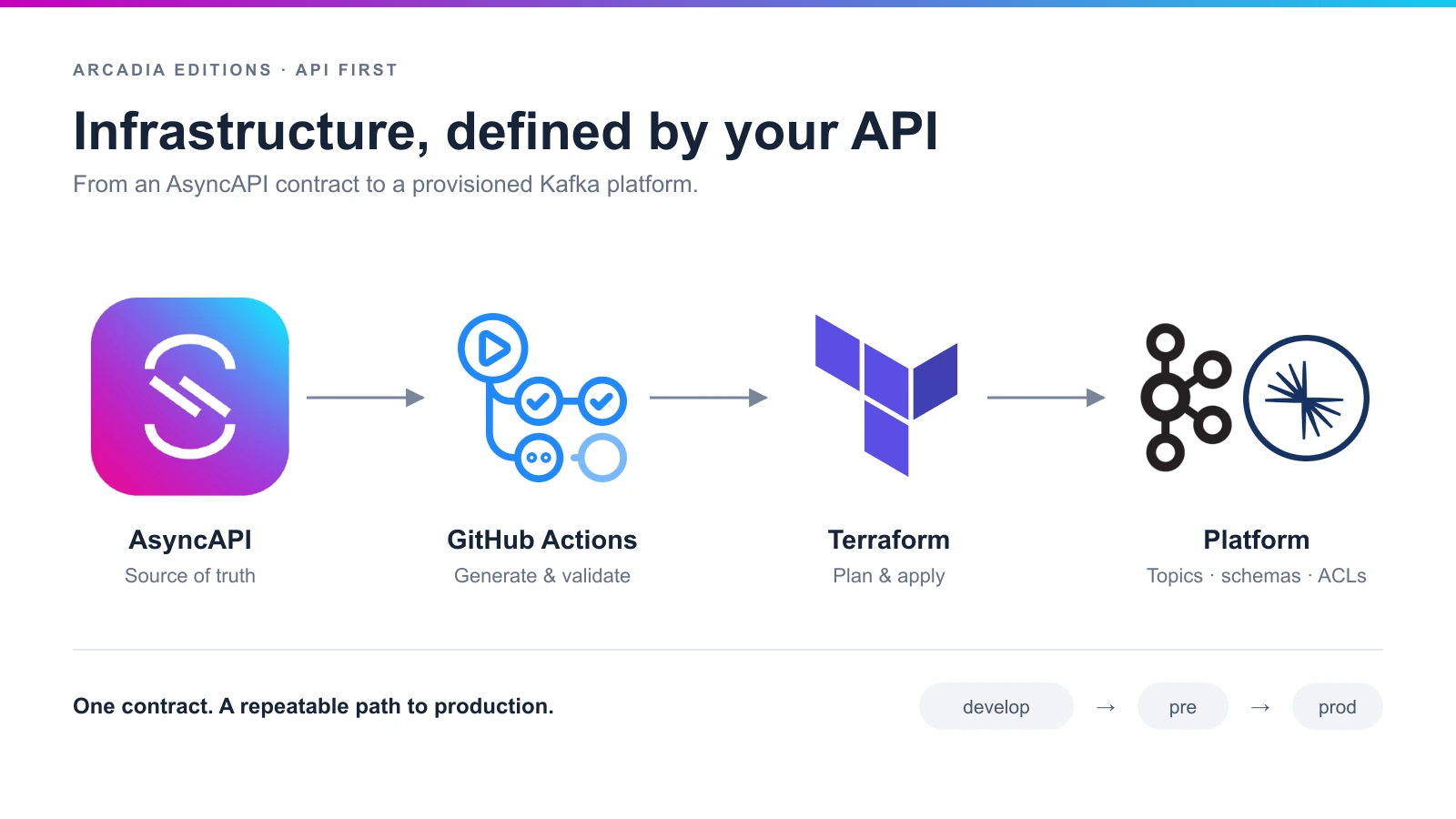
When we talk about API First we usually think about the code. We generate models and clients from the API, we validate messages against it, and we test that producers and consumers do what the spec says.
But in an event driven architecture, part of the API lives in the broker: the topics, their partitions and retention, the schema compatibility, and the ACLs that say who can read and who can write.
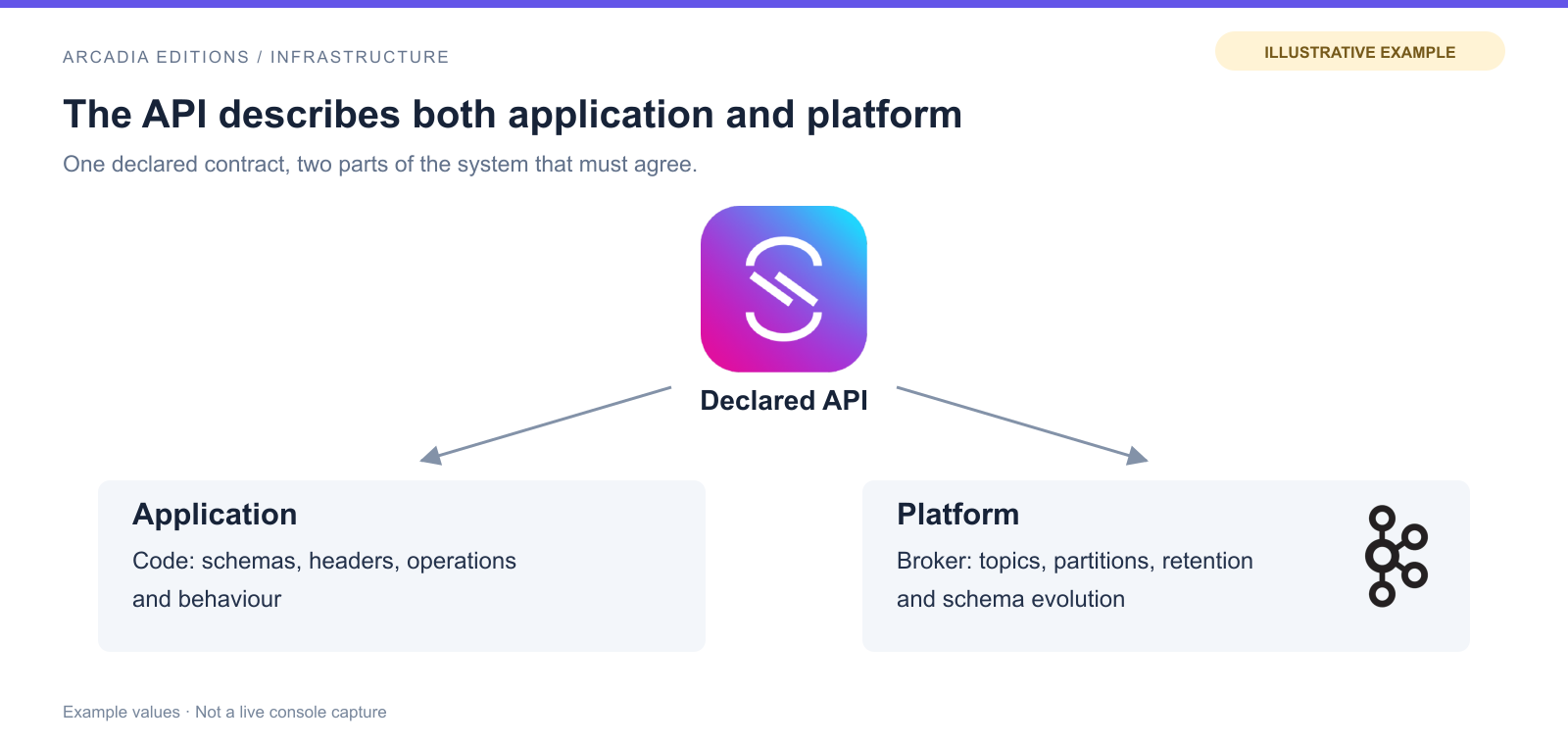
This is not only for the platform. The producer and the consumer need this information too, to design and configure their applications:
- Three partitions or one, it’s not the same, because with three you can run three consumers in parallel and with one you can’t.
- One week of retention or one year, it’s not the same, because it decides how far back a consumer can replay.
- A compacted topic or a normal one, it’s not the same either.
- And schema compatibility even decides who deploys first: with
FORWARDthe producer can go first, and withBACKWARDthe consumers have to go first.
So everybody needs this information, and the natural place for it is the AsyncAPI.
Now imagine the AsyncAPI says seven days, but someone changed it to one day in the Confluent console. Or the AsyncAPI says nothing at all, because the retention lives in a Terraform file in another repository. People stop reading the API and start asking someone, and from that moment nobody trusts the API.
Creating Kafka topics is easy, there are scripts, the Confluent CLI, JulieOps, Jikkou or Terraform for that. What goes wrong is that we write the same information twice, once in AsyncAPI and once in the provisioning tool, and then we hope both stay in sync forever.
In Arcadia we write it only once, in the AsyncAPI file. Every service that talks Kafka already has one, with the topics it owns, their partitions, the Avro schemas of each message, and the topics it reads from other teams.
With the ZenWave AsyncAPI Ops plugin we generate the Terraform from that file, in the same way we generate code, docs or the Event Catalog. Nobody edits that Terraform by hand, so if you want to change something in the platform, you change the AsyncAPI first.
What the generator creates
The plugin reads one or more AsyncAPI files and writes a folder with Terraform files:
topics.tfwith the Kafka topics that the service owns, plus their retry and dead letter topics.schemas.tfwith the Avro subjects for the Schema Registry.acls.tfwith the read and write permissions, which come from thesendandreceiveoperations.- The service account for the service, when you use
serviceAccountMode=managed. - The Avro schemas, bundled so Terraform can upload them.
It knows which topics belong to the service because they are declared inline with an address. Channels that come with a $ref from another team’s API are dependencies, so for those it only creates the ACLs to read them, and never the topic. This is why in Arcadia we pass both files together, asyncapi.yml with what the service publishes and asyncapi-client.yml with what it consumes.
This is how a channel looks in orders-checkout-api, and the topic size comes from a shared trait that every team can reuse:
channels:
  order-created-event-v1:
    address: orders-checkout.order-created.event.avro.v1
    x-visibility: global
    messages:
      OrderCreatedEvent:
        $ref: "#/components/messages/OrderCreatedEvent"
    bindings:
      kafka:
        partitions: 3
        replicas: 3
        topicConfiguration:
          cleanup.policy: [ "delete" ]
          retention.ms: 604800000
          retention.bytes: 1000000000
          delete.retention.ms: 86400000
          max.message.bytes: 1048588
        x-env-server-overrides:
          develop:
            partitions: 1
            replicas: 1
            topicConfiguration:
              cleanup.policy: [ "delete" ]
              retention.ms: 604800
And this is the command that the pipeline runs, more or less:
jbang zw -p AsyncAPIOpsGeneratorPlugin \
  apiFiles=asyncapi.yml,asyncapi-client.yml \
  templates=TerraformConfluent \
  serviceAccountMode=managed \
  server=develop \
  targetFolder=target/terraform
The server option chooses which entry of x-env-server-overrides the generator applies on top of the Kafka bindings. This is the kafkaTopicS trait from api-contract-commons:
kafkaTopicS:
  bindings:
    kafka:
      partitions: 3
      replicas: 3
      x-env-server-overrides:
        dev:
          partitions: 1
          replicas: 1
        staging:
          partitions: 3
          replicas: 2
NOTE: Channel traits are available on AsyncAPI v3.2.0 and later
So the same topic gets one partition with server=dev, and three partitions with server=staging or with any other server, like production, that has no override. For Arcadia we use Confluent Cloud, but there are also templates for plain Kafka with an open source Schema Registry.
Cluster IDs, endpoints and credentials never go inside the AsyncAPI file. The pipeline injects them from GitHub secrets and variables, and a small shared overlay in terraform/common adds the provider configuration and some safe defaults.
Two different rhythms
Once we can generate Terraform, we still need to decide when to apply it and where, and development and production don’t move at the same speed. In development you want to see your new topic as soon as you merge, because you are going to test against it this afternoon. But in production you want to apply only what was released, and only when somebody decides it is time.
So in api-product-workflows we have one path for develop and another one for releases:
| When | What happens | Workspace |
|---|---|---|
| You push to any branch or open a PR | Generate and terraform plan, nothing is applied | <repo>-develop |
You merge to develop | Generate, plan and apply | <repo>-develop |
You release asyncapi-all | Generate from the release tag, validate, zip and attach to the GitHub release | none |
| You promote a release | Download the zip and apply it | <repo>-pre, then <repo>-prod |
Every service has one Terraform Cloud workspace per environment, and the name is always the repository name plus the environment.
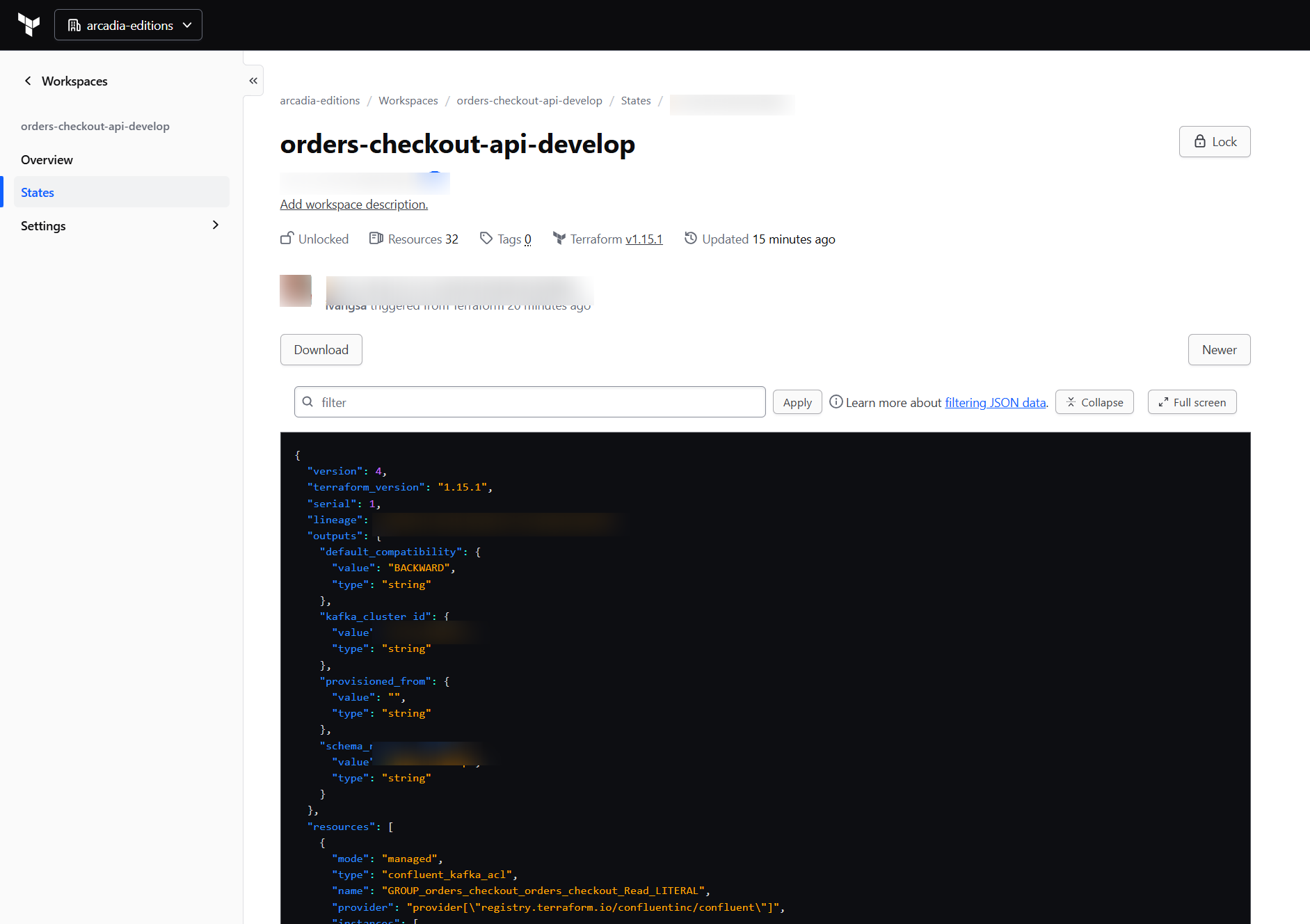
The console and pipeline illustrations below use example values to explain the workflow; they are not captures of live infrastructure.
Merge to develop, and develop is provisioned
Service repositories don’t need a special workflow for this. Their normal artifact-ci.yml calls the shared artifact-ci.yml, the same one that validates the APIs, and this one has two extra jobs for Kafka.
First it looks at what changed in the commit, and if an asyncapi or asyncapi-client artifact changed, or any .avsc file in the repository, it selects all the Kafka contracts of that service as one unit.
Then the kafka-plan job runs provision-kafka-plan.yml. It asks the architecture manifest which AsyncAPI files belong to this repository, generates the Terraform and makes a plan against the develop workspace. This happens in every branch and every pull request, so a reviewer can see what is going to change before the merge.
When the push is on the develop branch, a second job, kafka-develop, runs provision-kafka-develop.yml. It does the same generation and plan, and then it applies, with no approval:
# No approval gate: a successful plan against develop applies immediately.
- name: Terraform apply
  run: terraform apply -auto-approve tfplan
We do this on purpose, because develop is where we want fast feedback: you merge your new event into develop, and some minutes later the topic, the schema and the ACLs exist in the development cluster.
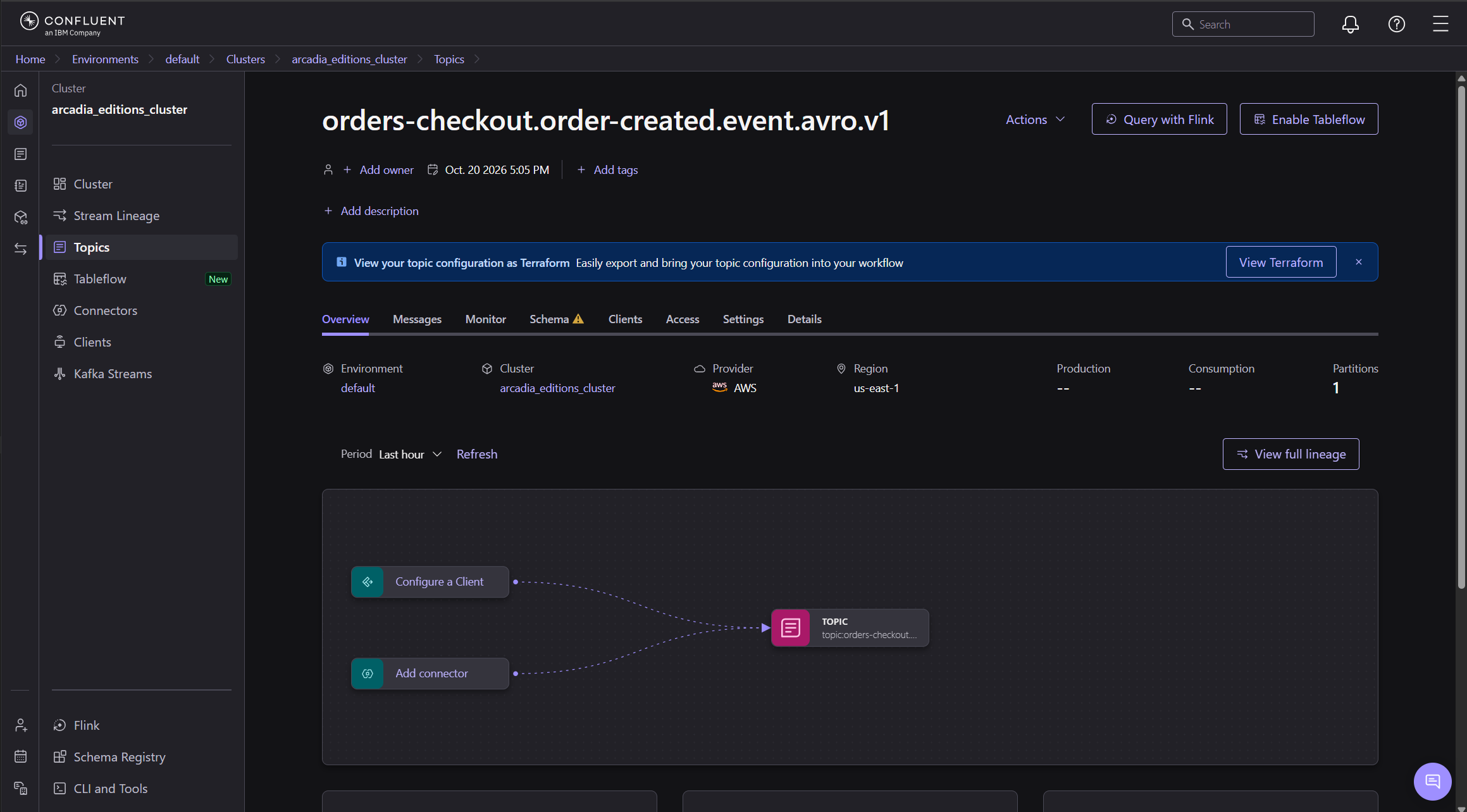
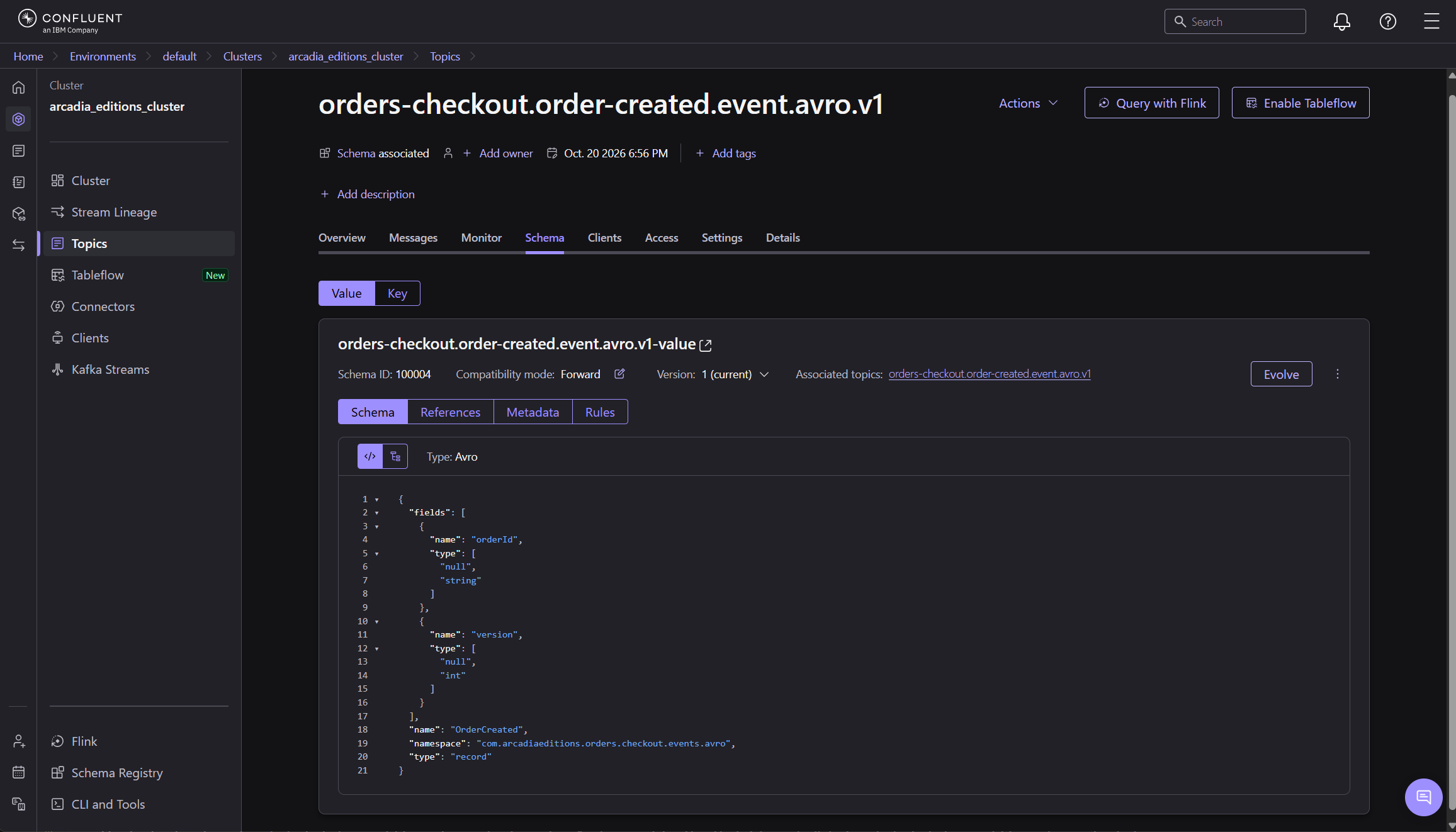
The apply also records a Terraform output called provisioned_from with the value develop@<commit sha>, so you can always ask the workspace which commit it was built from.
Release, and the Terraform is packed
For production we don’t regenerate anything at deploy time, because then what you deploy could be different from what you tested.
When a team releases its Kafka contracts with artifact-release.yml and artifact=asyncapi-all, the release job publishes the API as usual and creates the tag release/asyncapi-all/vX. After that, a job called release-kafka calls provision-kafka-release.yml, which:
- Checks out the service at that exact release tag.
- Generates the Terraform with the
prodserver profile. - Runs
terraform init -backend=falseandterraform validate, offline, without touching any cluster. - Writes a
RELEASE.jsonwith the version and the AsyncAPI files that are inside. - Zips everything as
<repo>-asyncapi-all-vX-terraform.zipand attaches it to the GitHub release.
Nothing is applied in this step. The Terraform Cloud backend stays as a template, cloud.tftpl, with the workspace name still empty, because the bundle doesn’t know yet where it will be applied, and that is why the same zip can go to pre today and to prod next week, once somebody approves it.
Promote from environment to environment
To apply a release, the service calls provision-kafka-promote.yml by hand:
jobs:
  promote-kafka:
    uses: arcadia-editions/api-product-workflows/.github/workflows/provision-kafka-promote.yml@main
    with:
      service_repo: orders-checkout-api
      target_env: pre        # or: prod
      version: "1.4.0"       # only for pre
    secrets: inherit
For pre you choose the version, and the workflow downloads the zip from that release, renders cloud.tf for the <repo>-pre workspace, plans, applies, and saves the version in provisioned_from.
For prod you cannot choose a version, and this is my favourite part. The workflow reads provisioned_from from the pre workspace and applies exactly that same release in prod, so prod can only receive what was already running in pre and the two environments cannot drift apart by mistake.
The pipeline doesn’t approve anything by itself, because approving a release is part of your organization’s process, with its change requests, release boards or whatever your company uses. The pipeline is only the technical part: once the release is approved offline, somebody runs the promotion manually, first to pre and then to prod.
There is also a provision-kafka-destroy.yml to remove an environment, and to run it you need to type the exact workspace name, because there is no way back.
The AsyncAPI file is the source
Service teams only edit their AsyncAPI file and their Avro schemas, as they already do, and the pipelines take care of develop, of the release package and of the promotion to pre and prod. The platform team, on their side, owns the shared overlay and the credentials, and decides which defaults every topic gets.
You can read about all the options of the generator in the AsyncAPI Ops plugin docs, and all the workflows of this article are in arcadia-editions/api-product-workflows.