
The master YAML is where we record the Arcadia architecture, in a file called zenwave-architecture.yml. Tools can read it easily, but most people in the company will never open it.
The file is an index that lists the domains, the services, and the pointers to the contracts, so a tool can read it without any problem. But human experts, both business and technical, will feel more comfortable exploring your architecture using a website generated from your APIs and models and designed for human consumption.
You don’t need to keep a second architecture in a wiki, or maintain markdown pages by hand. The ZenWave Event Catalog generator reads zenwave-architecture.yml, follows the contracts that the file points to, and creates an EventCatalog website from them.
For Arcadia Editions, the live website is arcadia-editions.github.io/arcadia-event-catalog.
The catalog shows the manifest
The generator builds the catalog from the architecture model you already have, taking each part from these sources:
- Domains, subdomains and services come from the YAML tree.
- Events, commands, queries, channels and entities come from the AsyncAPI, OpenAPI and ZDL files of each service.
- The service documents (
SUMMARY, catalog notes,CHANGELOG) become the text on the service page. - The
consumerslist shows which service receives an event.
The full mapping is in From Architecture Manifest to EventCatalog, so I will not repeat it here. The catalog is the manifest in a form that people can browse, and that is why it needs no second set of documents.
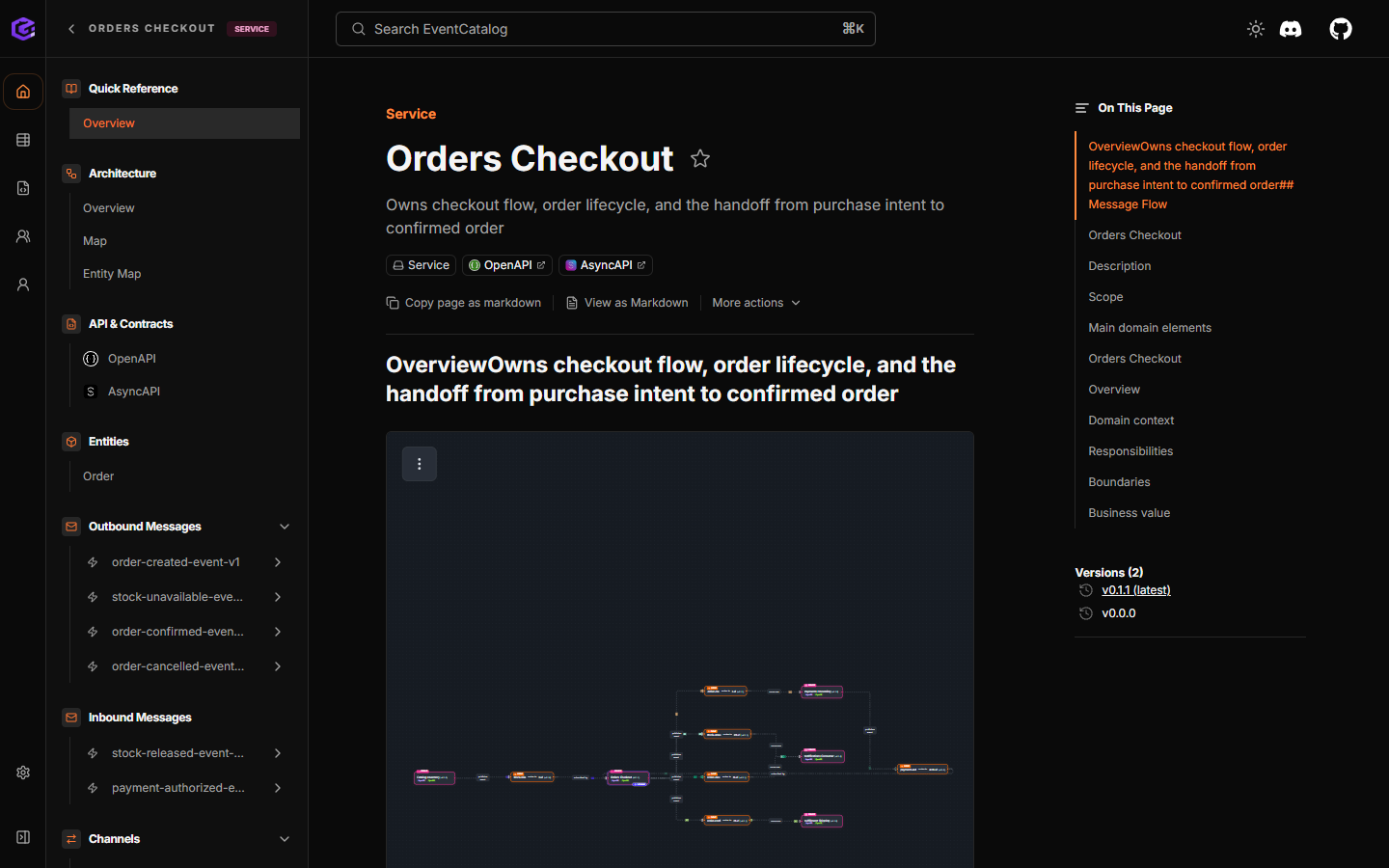
Orders Checkout is the same service that appears in the manifest. The page uses the service documents, the OpenAPI file, the AsyncAPI file, and the events that the service sends and receives, and nobody wrote it in EventCatalog by hand.
Collect the APIs that you already have
Arcadia treats API contracts as products. Each API repository has it’s own release lifecycle and pipelines for each type of API/Model. AsyncAPI files, their client counter parts, Avro schemas, OpenAPI for REST services and ZDL files for your Domain Models. Treat Your Domain Models and APIs as Products describes how we handle their quality, their versions and their publication.
The Event Catalog generator collects those files into one website, converting the contents of each file into one or several EventCatalog markdown files that you don’t need to edit by hand, and each API release creates a new EventCatalog version for those contents.
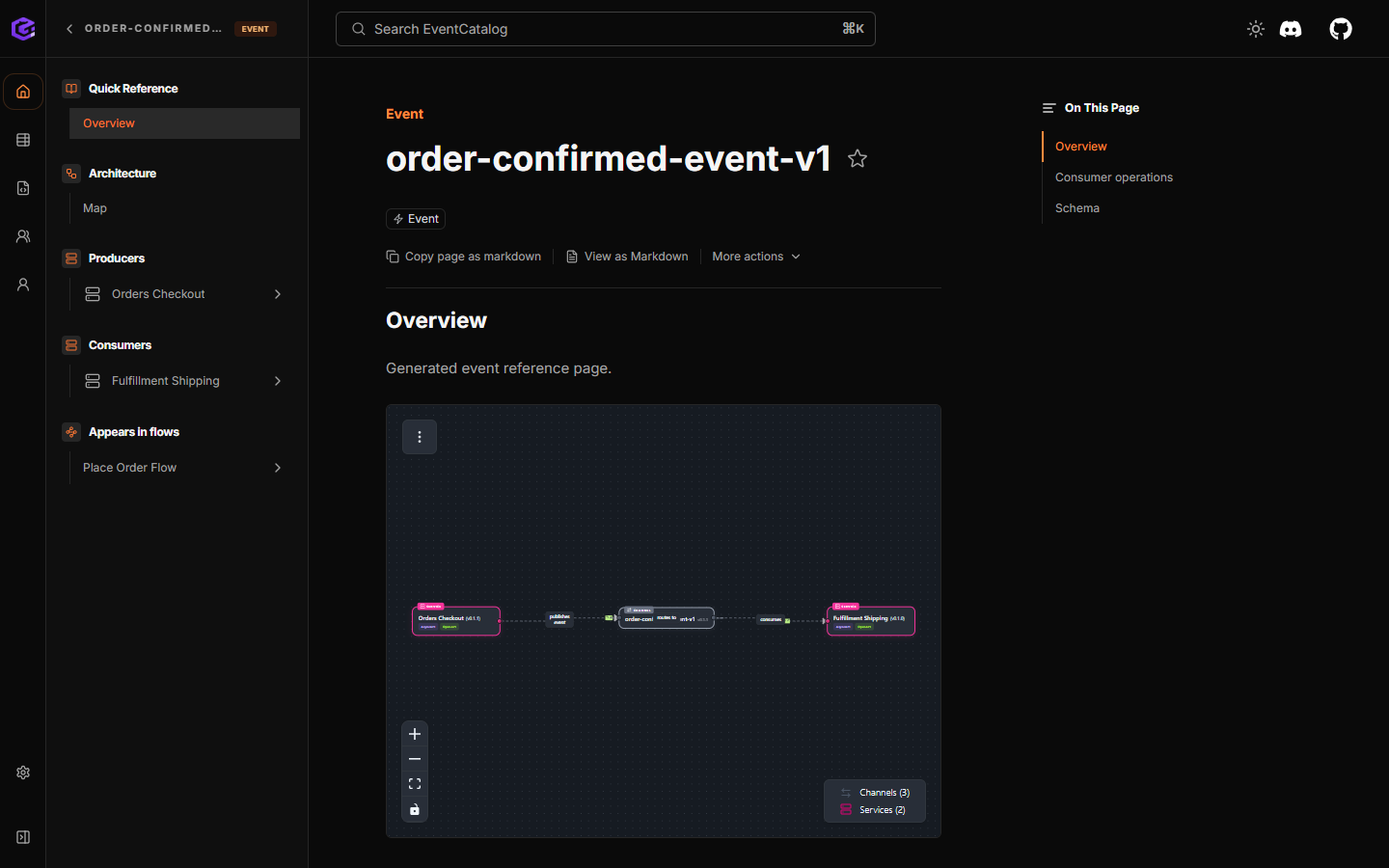
The idea is that you keep editing and documenting your APIs as you already do, and then you connect all of them to your architectural world model with the master YAML, so the ZenWave Event Catalog generator can compose the website and all its markdown files for you.
A release updates the catalog
What we want is that the catalog changes every time a team releases an API, in the same pipeline, so that nobody has to remember to update it by hand.
For this we use three repositories, and each one of them takes care of only one part of the process.
- In each API repository, for example orders-checkout-api, the release starts with
artifact-release.yml, which delegates the work to the sharedapi-product-workflowsartifact-release. This shared workflow publishes the artifact and, once it is published, sends anartifact-releasedevent to the architecture repository with the name of the repository, the artifact identifier and the version. - The architecture repository, arcadia-editions-architecture, receives that event in
update-architecture-manifest.yml, writes the new versions intozenwave-architecture.yml, and then sends anapi-updatedevent to the catalog repository, which also carriesartifactId,artifactIdsandversion. - Finally, in arcadia-event-catalog, the
update-catalog.ymlworkflow generates the EventCatalog files from the GitHub URL of the manifest, verifies the result, opens a pull request and publishes the website.
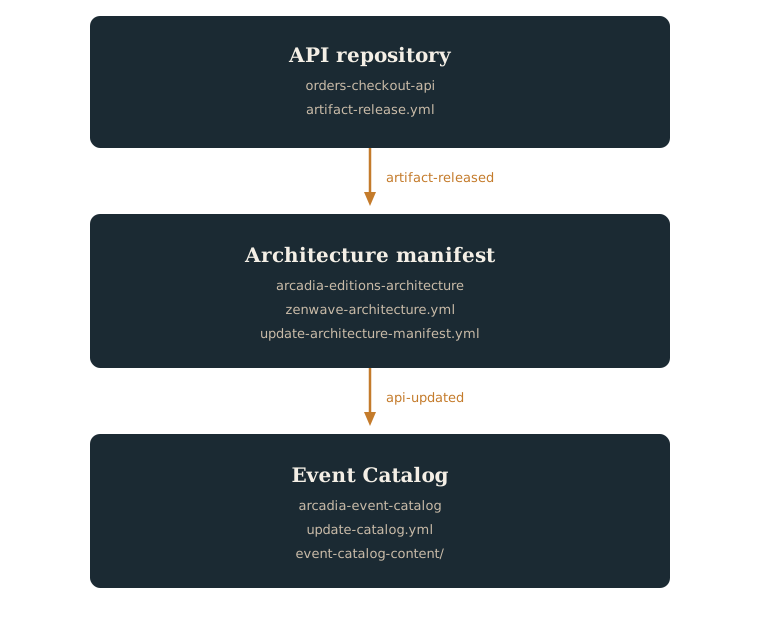
Inside the catalog repository we keep the generated MDX in event-catalog-content/ and the EventCatalog application in site/. In this way the generator can replace the whole content folder every time, but the application and the workflows always stay where they are.
The generator rebuilds all pages today
For now, in this first version, every release regenerates the whole Event Catalog: update-catalog.yml loads the complete manifest, follows every pointer to the contracts, and writes all the pages again, even when only one API has changed.
But because each run starts from one particular API repository, we always know where the change comes from. The api-updated event already carries the artifact and the version that were released, and the architecture workflow already updates only that service in the manifest, so the information is there, but the generator does not use it yet.
In later releases we can use this to regenerate only the pages that are affected by that API, its service, its subdomain and its domain, and leave the rest of event-catalog-content/ as it is. The three repositories and the way they talk to each other will stay the same, and only the last step will become more precise.
Related pages
The generator creates catalog pages from the APIs that you already have, and the release pipeline keeps the website aligned with the last published version.
For the internals of the generator, read From Architecture Manifest to EventCatalog. For the live website, open the Arcadia Event Catalog.